Affilabs.core
Software
SPR instrument control, data acquisition, and analysis — all in one desktop application. Built for the P4SPR and P4PRO, with Sparq smart operation support built right in.
From first connection to exported data — Affilabs.core handles every step of your SPR experiment.
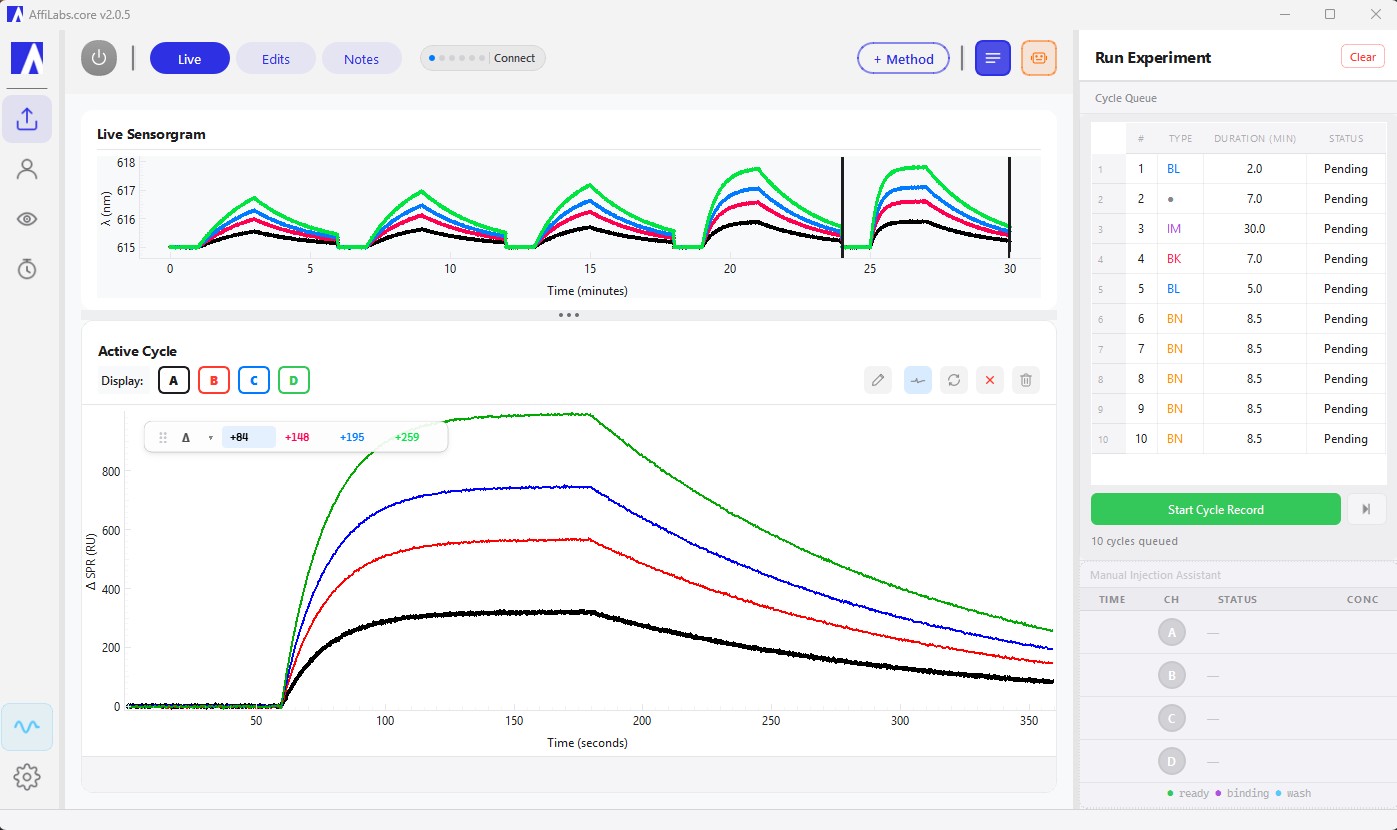
Live 4-channel wavelength plot with automatic injection flags and cycle markers.
One-click servo alignment, LED calibration, and S-pol reference capture.
Multi-step sequences with templates. Add steps mid-run.
Alignment, ΔSPR cursors, KD fitting, and cycle comparison.
Excel, CSV for Origin and Prism, sensorgram images, clipboard.
Leak and bubble detection with real-time signal quality scoring.
Tag, annotate, rate, and search your experiment history.
Timestamped qualification reports for regulatory and lab audits.
Machine learning optimizes LED settings and convergence automatically.
Live 4-channel wavelength plot with automatic injection flags and cycle markers.
One-click servo alignment, LED calibration, and S-pol reference capture.
Multi-step sequences with templates. Add steps mid-run.
Alignment, ΔSPR cursors, KD fitting, and cycle comparison.
Excel, CSV for Origin and Prism, sensorgram images, clipboard.
Leak and bubble detection with real-time signal quality scoring.
Tag, annotate, rate, and search your experiment history.
Timestamped qualification reports for regulatory and lab audits.
Machine learning optimizes LED settings and convergence automatically.
Sparq
Sparq stands for Surface Plasmon Analysis Result Quality — and Sparq is the smart operation support assistant built directly into Affilabs.core. When something isn't working — or you're not sure what to do next — Sparq walks you through it, step by step, without leaving the application.
No ticket system. No waiting. Just answers.
Full IQ/OQ qualification included with every installation.
Affilabs.core is a Windows desktop application. No internet connection required to run experiments.
Affilabs.core is included with every P4SPR and P4PRO instrument. Get in touch to learn more.
Contact us →Previously using ezControl? That software is no longer supported. Reach out to discuss upgrading to an Affilabs.core-compatible instrument.